
Tesla Model S: Trim - 'B' Post - Upper - LH (Remove and Install)
Tesla Model S (2012-2026) Service Manual / Interior trim / Trim - 'B' Post - Upper - LH (Remove and Install)
Removal
- Remove the LH lower 'B' post trim (refer to procedure).
- Carefully release the clips (x4) that secure the 'B' post upper trim to the body by gently pulling the lower edge away from the body and releasing the top alignment dowel. Caution: Take care not to damage component(s).
- Allow the 'B' post upper trim to rest on the seat belt buckle.
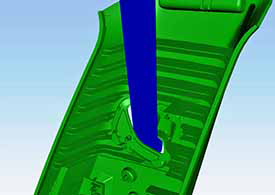
Installation procedure is the reverse of removal.
READ NEXT:
 Trim - 'B' Post - Upper - LH (Remove and Replace)
Removal
Remove the LH lower 'B' post trim (refer to procedure).
Remove the plastic trim that covers the seat belt fixing on the
driver's seat.
Trim - 'B' Post - Lower - LH (Remove and Install)
Removal
Power the seat forward to gain access to the 'B' post.
Carefully release the leading edge of the rear rocker panel trim
for access.
Caution: Take car
Trim - 'C' Post Upper - LH (Remove and Replace)
Removal
Open LH rear door.
Fold rear seat back forward for access.
Using a suitable tool carefully release clips (x4) securing 'C'
post trim to body.
Caution: Take car
SEE MORE:
Handle - Interior Release - Door - Rear - LH (Remove and Replace)
Removal
Remove the rear door trim panel (refer to procedure).
Remove the screws (x3) and the nut (x1) that secure the interior
door handle to the trim pad (torque 3 Nm).
Release and remove the door handle.
Tips to Maximize Range
You can maximize your driving range using the same
driving habits you use to conserve fuel in a gasoline-
powered vehicle. To achieve maximum range:
Slow down your driving and avoid frequent and rapid
acceleration. Consider using Chill Mode (touch
Controls > Pedals & Steering > Acce
© 2019-2026 Copyright www.tesms.org
