
Tesla Model S: Glove Box - Latch Release (Remove and Replace)
Tesla Model S (2012-2026) Service Manual / Instrument Panels and Pedals / Glove Box - Latch Release (Remove and Replace)
Removal
- Remove glove box assembly (refer to procedure)
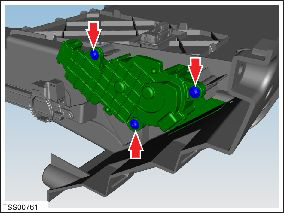
- Remove screws (x3) securing latch release module to glove box
assembly.
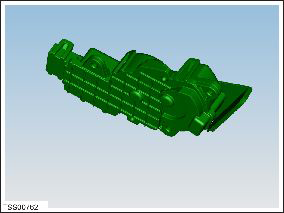
- Remove latch module from glove box.
Installation procedure is the reverse of removal.
READ NEXT:
 Glove Box - Damper (Remove and Replace)
Removal
Remove glove box assembly (refer to procedure)
Depress clip and remove clevis pin securing damper module to
glove box assembly.
IP Carrier (Remove and Replace)
Warning: If the 12V power supply is disconnected, do
not attempt to open any doors with door glass in closed position.
Failure to follow this instruction could result in door glass
shat
Cross Car Beam (Remove and Replace)
Removal
Remove the IP carrier (refer to procedure).
Remove the center console (refer to procedure).
Remove the nuts (x2) that secure the driver knee airbag. Retain
the washers (x2
SEE MORE:
Lane Assist
Model S monitors the markers on the lane you are
driving in as well as the surrounding areas for the
presence of vehicles or other objects.
When an object is detected in your blind spot or near
the side of Model S (such as a vehicle, guard rail, etc.),
the instrument panel displays colored line
Profile
In the Profile tab located at the top corner of your
phone's screen (shown as an avatar icon), you can:
Switch to a different vehicle associated with your
Tesla account, if you have access to more than one.
Navigate the Tesla Shop.
Access the Tesla inbox.
Manage your account information and
© 2019-2026 Copyright www.tesms.org
