
Tesla Model S: Grip - Door - Exterior Handle - Rear - LH (Remove and Replace)
Tesla Model S (2012-2026) Service Manual / Closures / Grip - Door - Exterior Handle - Rear - LH (Remove and Replace)
Removal
- Remove grip backplate (refer to procedure)
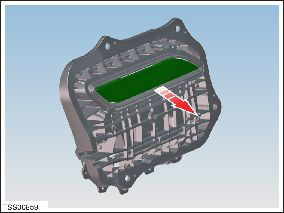
- Release LED from door grip.
- Remove door grip from fork.
- Installation procedure is the reverse of removal.
- Install door grip to fork, ensure it is fully engaged.
- Install LED to door grip
READ NEXT:
 Back Plate - Door - Exterior Handle - Front - LH (Remove and Replace)
Removal
Remove door handle for access (refer to procedure)
Position handle assembly on a soft working surface.
Remove door handle rear seal.
Remove screws (x4) securing handle gri
Back Plate - Door - Exterior Handle - Rear - LH (Remove and Replace)
Removal
Remove door handle for access (refer to procedure)
Position handle assembly on a soft working surface.
Remove door handle rear seal.
Remove screws (x4) securing handle gri
LED - Door - Exterior Handle - Front - LH (Remove and Replace)
Removal
Remove backplate grip (refer to procedure)
Disconnect LED wiring and remove from door grip.
Installation
SEE MORE:
Front Drive Unit (From Below) (Remove and Replace)
Special tool required for this procedure:
Supplier
Part Number
Description
Tesla
1056361-00-A
Oberg
Tilt-Lift
Removal
Assembly - Mesh Grille - Defrost (Remove and Replace)
Removal
Remove the top pad for access to the mesh grille (refer to
procedure)
Remove the defrost mesh grille.
Installation
Installation procedure is the reverse of removal.
When installing the new mesh grille, ensure that all 4 retaining
cli
© 2019-2026 Copyright www.tesms.org
