
Tesla Model S: Latch - Seat Back - 2nd Row Seat - LH (Remove and Replace)
Tesla Model S (2012-2026) Service Manual / Seats / Latch - Seat Back - 2nd Row Seat - LH (Remove and Replace)
Removal
- Remove LH pivot lock (refer to procedure)
- Release and remove latch cover from seat back.
.png)
- Carefully release cover from seat back frame.
- Remove bolts (x2) securing latch to seat frame (torque 24 Nm).
- Remove seat latch.
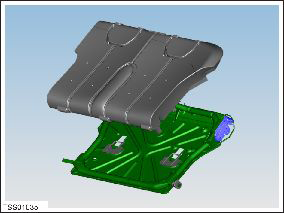
Installation procedure is reversal of removal.
READ NEXT:
 Cover - Seat back - 2nd Row Seat - RH (Remove and Replace)
Removal
Remove pivot lock (refer to procedure)
Release and remove latch cover from seat back.
Carefully release cover f
Switch - Brake Light (Remove and Replace)
Removal
Remove the driver's side lower dash trim (refer to procedure).
Rotate the brake light switch 45 degrees clockwise and release
it from the brake pedal assembly.
SEE MORE:
Door Glass - LH - Rear (Remove and Replace)
Removal
Remove door inner belt glass seal (refer to procedure)
Remove adhesive patches (x3) from glass access openings.
Remove screws (x2) securing door access panel (torque 4 Nm).
Remove access panel.
Lower
Navigating to a Destination
To navigate to a location, touch the search bar in the
corner of the map and enter a destination, send the
destination from your phone, or speak a voice command
(see Voice Commands). You can enter or
speak an address, landmark, business, etc. When you
touch the search bar, you can also choose f
© 2019-2026 Copyright www.tesms.org
